
Geometry Dash Switch
 0.0/5
 Geometry Dash Onward
 Geometry Victory Lap Dash
 Geometry Dash Switch
 Geometry Dash Platformer
 Geometry Dash Meltdown 3D
 Space Waves 3D
 Geometry Dash Wave 3D
 Geometry Dash Demons
 Geometry Dash Deadlocked
 Geometry Dash Breeze
 Geometry Dash Polargeist
 Geometry Dash Press Start
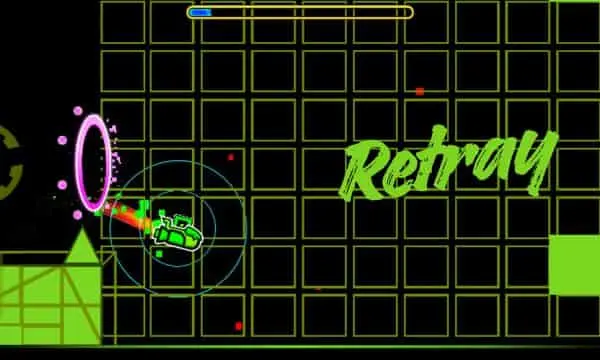 Geometry Dash Retray
 Geometry Dash 8 Bit
 Geometry Neon Dash Rainbow
 Impossible Dash
Geometry Dash Switch brings an electrifying twist to the world-renowned rhythm platformer series. While retaining the pulse-pounding electronic beats and razor-sharp reaction gameplay players love, this edition places dynamic gravity-shifting at the center of the action.
Instead of simple jumping, your primary skill is mastering inverted physics. Switch between the floor and ceiling in an instant, calculate tight trajectories, and sync your movement to an adrenaline-fueled soundtrack. Designed for seamless browser play on geodashlite.org, Geometry Dash Switch delivers instant restarts, fluid 60 FPS performance, and pure arcade challenge without requiring any downloads.
Core Gameplay: The Gravity Flip Twist
In traditional geometry obstacle runners, timing your jumps over spikes is key. In Geometry Dash Switch, your cube or icon constantly balances between two worlds:
- Instant Gravitational Reversal: With a single input, your character launches toward the ceiling or snaps back to the ground.
- Dynamic Hazard Placement: Spikes, buzzsaws, and laser barriers are placed on both horizontal planes, demanding split-second decisions about where it is safe to land.
- Portal Shifts: Transition seamlessly into alternate vehicle modes—such as the Ship or Wave—while retaining switch-centric pathing designed to push your reaction speed to its limits.
Key Features
- Instant Browser Play: Optimized for lightning-fast loading on desktop, tablet, and mobile browsers on geodashlite.org.
- Sync-Driven Soundtrack: Every gravity flip and obstacle cluster aligns closely with the energetic EDM and electro-house soundtrack.
- Instantaneous Respawn: Zero loading screens upon defeat—hit retry instantly to keep your momentum and build muscle memory.
- Progress Tracking & Practice Mode: Track your percentage completion on standard runs, or drop checkpoints in Practice Mode to master difficult transitions before tackling full attempts.
- Vibrant Neon Aesthetics: Crisp visual contrasts ensure obstacles stand out clearly against dynamic, color-shifting backgrounds.
Controls & How to Play
Mastering the controls requires only one action, but executing it requires flawless timing:
| Platform | Control Input | Action |
|---|---|---|
| PC / Laptop | Spacebar, Up Arrow, or Left Mouse Button | Switch Gravity / Jump |
| Mobile / Tablet | Tap anywhere on the screen | Switch Gravity / Jump |
| Practice Mode | Z / X (or on-screen buttons) | Place Checkpoint / Remove Checkpoint |
Basic Rules:
- Tap your control to flip gravity from floor to ceiling (or vice versa).
- Avoid making contact with any sharp edges, wall faces, or hazard surfaces.
- Stay aligned with the rhythm to anticipate approaching jump pads and gravity portals.
- Reach 100% completion to unlock bragging rights and harder challenge tracks.
Pro Tips for Getting to 100%
- Rely on the Audio Beat: Visual cues are fast, but the underlying rhythm rarely lies. Many gravity flips land precisely on the beat drops or bass hits.
- Look Ahead, Not at Your Icon: Fixating your eyes on your character limits your reaction window. Train your gaze toward the right third of the screen to spot upcoming hazards early.
- Use Short, Controlled Taps: Avoid mashing the controls. A calm, deliberate tap rhythm gives you better recovery time between rapid consecutive flips.
- Leverage Practice Mode: When stuck on a tricky sequence (especially around the 70%–90% mark), place checkpoints directly before the trouble spot and rehearse it until the movement becomes second nature.
How to Play Geometry Dash Switch
- Press Play to load the game directly in your browser.
- Use the on-screen controls or keyboard controls shown inside the game.
- Stay focused on timing, avoid hazards, and replay levels to improve your score.
Geometry Dash Switch FAQ
Can I play Geometry Dash Switch for free?
Yes. You can play it for free in a web browser without downloading an app.
Do I need to install anything?
No installation is required. Click Play and the game loads on the page.
0 Comments
No comments yet.