
Geometry Dash Wave
 0.0/5
 Geometry Dash Onward
 Geometry Victory Lap Dash
 Geometry Dash Switch
 Geometry Dash Platformer
 Geometry Dash Meltdown 3D
 Space Waves 3D
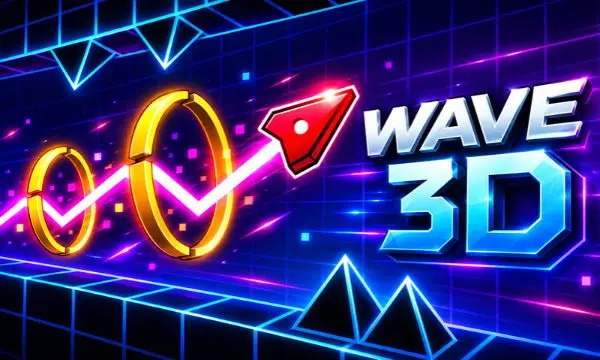 Geometry Dash Wave 3D
 Geometry Dash Demons
 Geometry Dash Deadlocked
 Geometry Dash Breeze
 Geometry Dash Polargeist
 Geometry Dash Press Start
 Geometry Dash Retray
 Geometry Dash 8 Bit
 Geometry Neon Dash Rainbow
 Impossible Dash
Play Geometry Dash Wave Online for Free
Geometry Dash Wave takes the most intense game mode from the Geometry Dash series and turns it into a game of its own. Instead of jumping as a cube, you control the wave – a small arrow that zig-zags diagonally through narrow corridors filled with spikes, slopes and moving walls. Every run is a test of rhythm, timing and nerves, and you can play it right here in your browser for free, with no download or installation.
What Is the Wave in Geometry Dash?
The wave (often called GD wave or geo dash wave by players) is one of the classic game modes in Geometry Dash. It is famous among fans because it never stops moving: the arrow always travels up or down at a fixed angle, leaving a glowing trail behind it. There is no floating and no second chance – a single touch of a spike or wall ends the attempt. That simple rule is exactly what makes the wave so addictive.
Wave Controls: Hold to Rise, Release to Dive
- Hold the mouse button, the space bar or your finger on the screen to make the wave fly upward.
- Release to let it dive downward at the same angle.
- Alternate quickly between holding and releasing to slip through tight gaps and zig-zag tunnels.
- Expect the corridors to get narrower and the pace to pick up as you progress – later sections leave almost no room for error.
- Follow the beat of the music: obstacles are placed in rhythm with the soundtrack, so listening helps you predict what comes next.
Tips to Master the Wave Game
- Use short taps: in narrow sections, tiny taps keep the wave in a straight line better than long holds.
- Look ahead, not at the arrow: focus on the next opening rather than on the wave itself.
- Learn the patterns: each section repeats the same layout every attempt. Memorize one part at a time.
- Stay relaxed: tension makes your inputs late. Most failed runs in the wave mode come from over-correcting.
Why Play Geometry Dash Wave on GeoDashLite.org?
Our version runs on HTML5, so it loads instantly on Windows PCs, Macs and Chromebooks, including school devices where app installs are blocked. The game is free to play, saves you from app-store downloads and works in any modern browser. When you need a break from the wave, you can jump straight into other games from the same universe without leaving the site.
More Wave Games to Try
If you enjoy the wave, you will love these related challenges:
- Geometry Dash Tidal Wave – one of the hardest wave-heavy levels fans talk about.
- Space Waves – a space-themed wave game with the same hold-and-release control.
- Geometry Dash Double Wave Pro – control two waves at the same time.
- Geometry Dash Black Wave – a darker, faster take on the wave.
New to the series? Start with the original Geometry Dash Lite to learn the basics of jumping, flying and the wave before taking on harder levels.
More Questions About the Wave Game
Can I play Geometry Dash Wave on a school Chromebook?
The game is built with HTML5 and runs in the browser, so it works on most Chromebooks without installing anything.
What is the difference between the wave and the ship?
The ship floats and responds smoothly to how long you hold, while the wave always moves at a fixed diagonal angle and changes direction instantly, which makes it faster and less forgiving.
Disclaimer: Geometry Dash and its game modes are the intellectual property of RobTop Games. GeoDashLite.org is a fan-made site for entertainment purposes.
How to Play Geometry Dash Wave
- Press Play to load the game directly in your browser.
- Use the on-screen controls or keyboard controls shown inside the game.
- Stay focused on timing, avoid hazards, and replay levels to improve your score.
Geometry Dash Wave FAQ
Can I play Geometry Dash Wave for free?
Yes. You can play it for free in a web browser without downloading an app.
Do I need to install anything?
No installation is required. Click Play and the game loads on the page.
0 Comments
No comments yet.